Pay is generated from a signed lesson
After attendance and lesson sign-off, Auksys applies the correct rate and adds the amount to the instructor’s payroll.
 FOR SWIM SCHOOLS
The instructor records attendance and signs the lesson. Auksys applies the correct rate and prepares a monthly statement for management to review and approve.
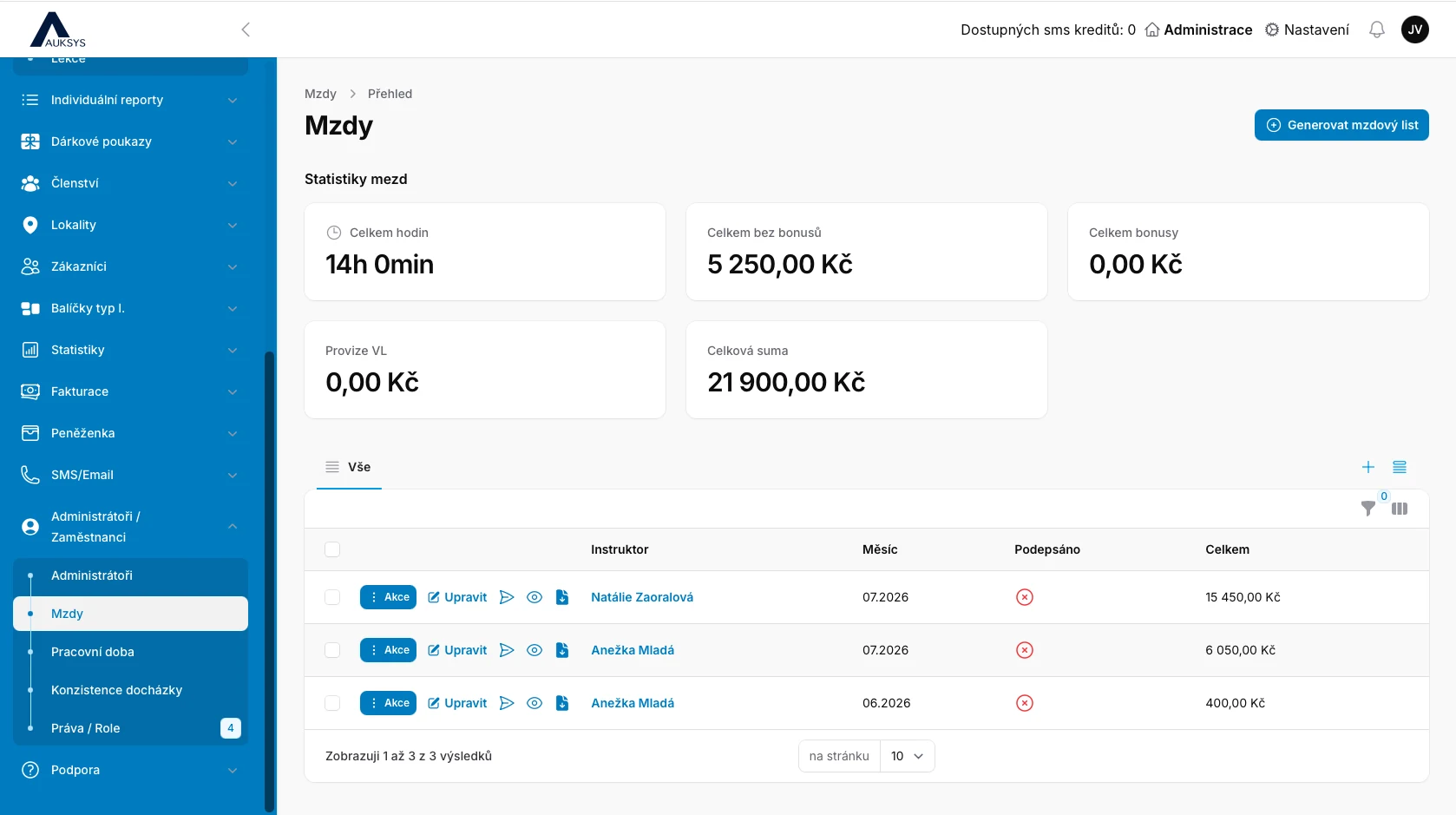
Eliminate instructor spreadsheets, paper timesheets and manual calendar comparisons. Every amount is linked to a specific lesson, time, customers and attendance.
Management can continuously see worked hours, base pay, bonuses and total remuneration.
Accurate records enable accurate pay.Summary statistics show hours, pay before bonuses, bonuses, commissions and total payroll. Individual instructors and months appear below.
After attendance and lesson sign-off, Auksys applies the correct rate and adds the amount to the instructor’s payroll.
Set a default hourly rate, monthly fixed amount or a combination for each instructor.
If a course pays differently, assign its own rate. Other lessons continue using the default hourly rate.
A manager can add an individual bonus, exceptional payment or deduction to a payroll statement.
The owner can inspect and adjust every amount, then approve the payroll statement as reviewed.
Export completed lesson details to CSV. Download the payslip or send it to the instructor automatically.
Set the employment type, default hourly rate, monthly fixed amount, site-manager commission and an on-time sign-off bonus. Rate history remains available by validity date.
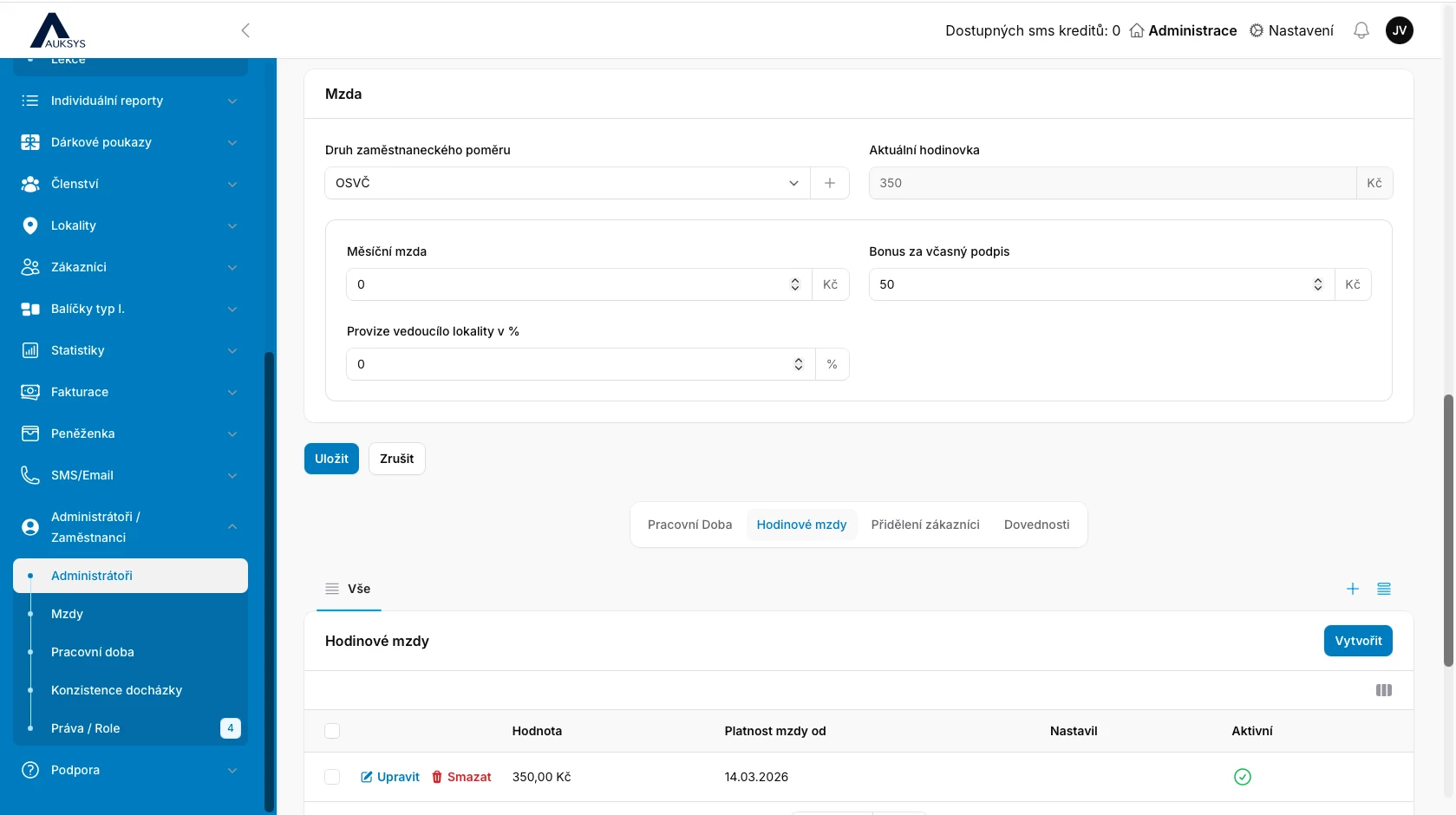
For example, from an agreed CZK 350, CZK 300 can cover the lesson and CZK 50 can be a bonus for timely attendance entry and sign-off. The school sets its own deadline.
Instructors can view only their own payroll overview and cannot edit it. The owner or authorised manager sees all employees, can adjust amounts and approve statements.
After approval, the instructor knows management has reviewed the statement and agrees with the amount. Depending on the working arrangement, the instructor can then issue an invoice or receive a payslip.
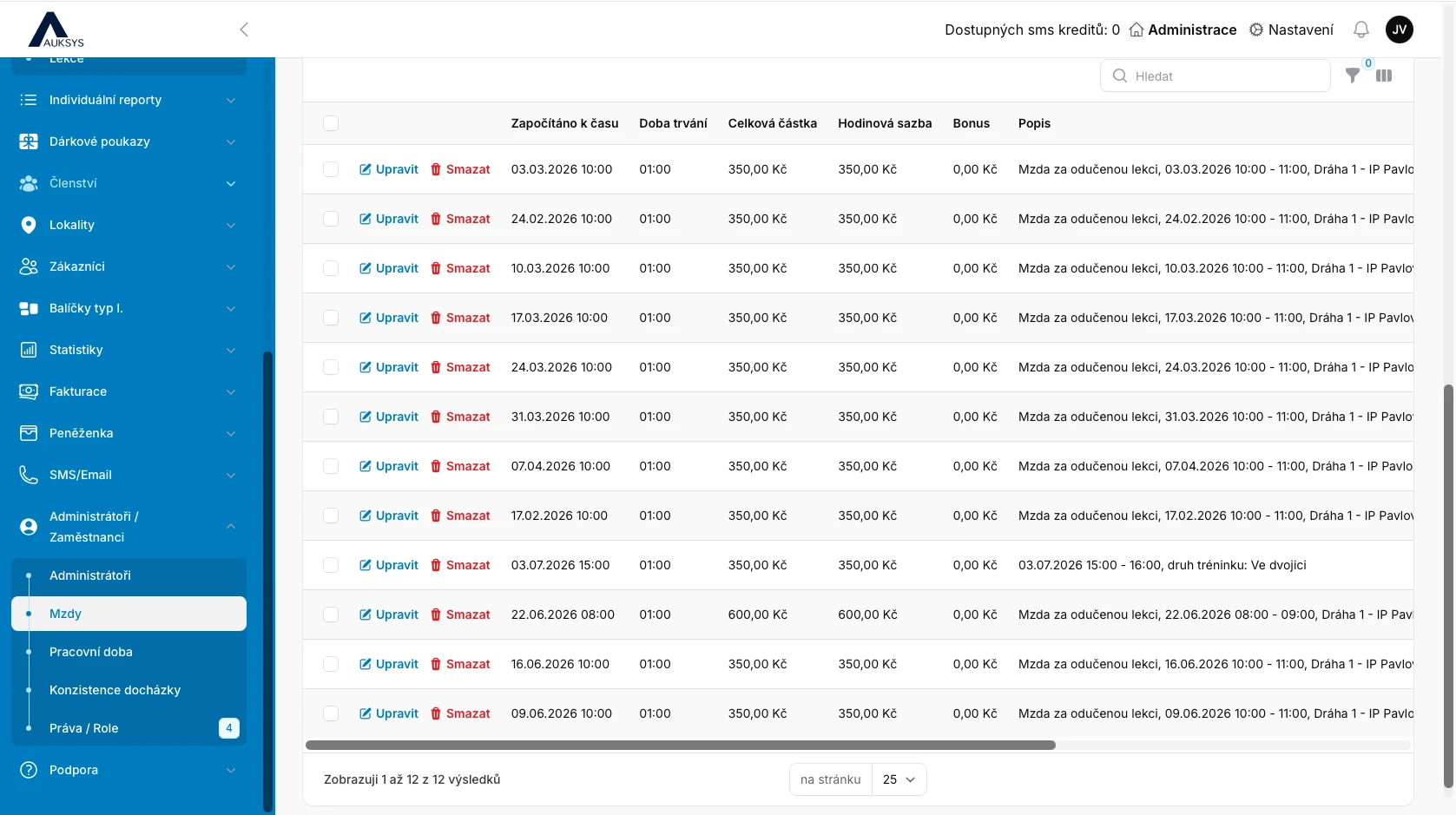
The breakdown includes date and time, duration, hourly rate, bonus, total amount and lesson description. Managers can edit individual entries.
The payroll statement summarises hours, base pay, bonuses, commissions, additional payments, deductions and the final amount. Generate, download or automatically send the payslip.
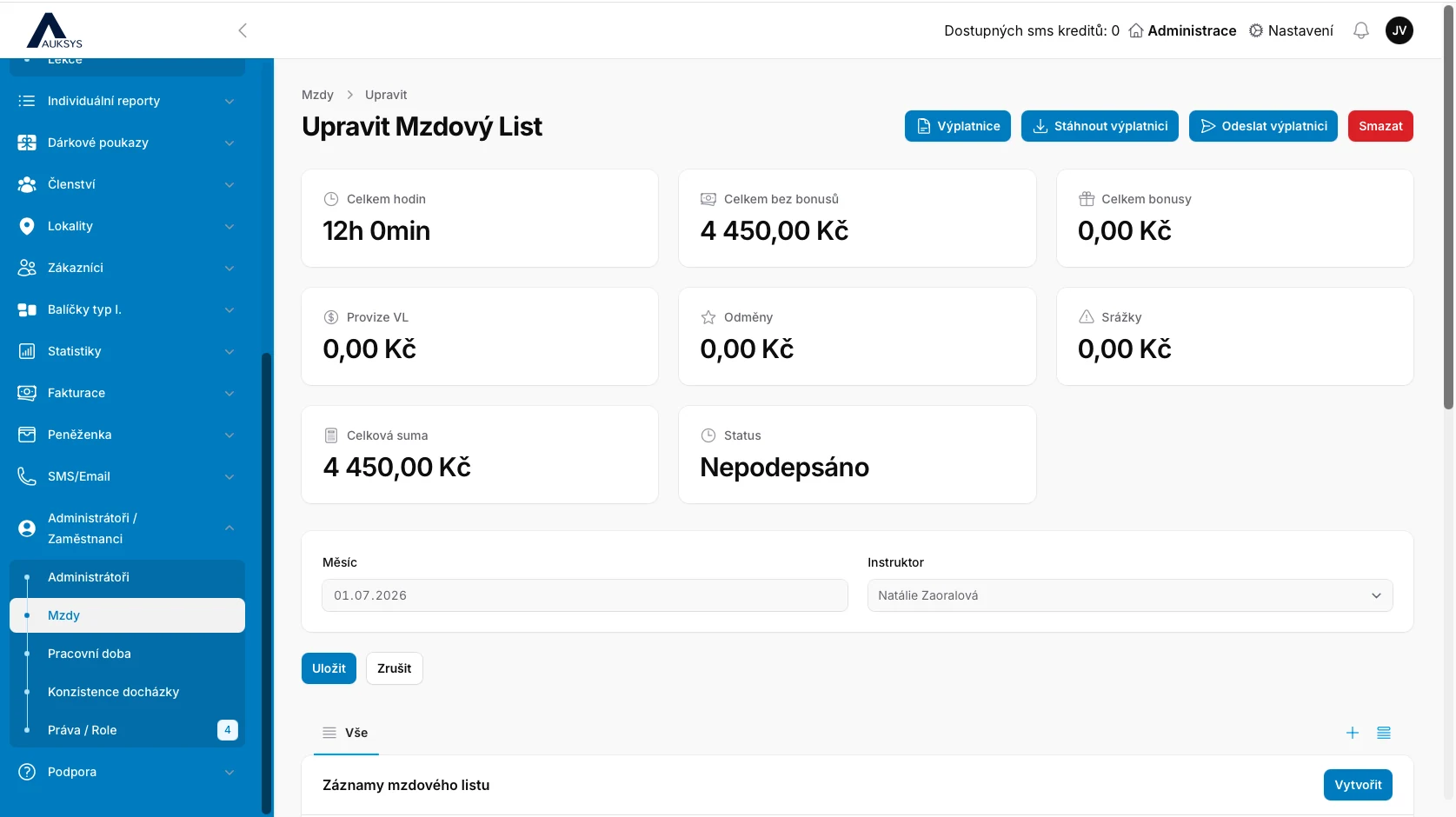
After attendance and sign-off, the correct rate is applied and the amount appears in the payroll overview.
Yes. A specific course can have a different rate while other lessons use the instructor’s default hourly rate.
Part of the pay can be separated as a bonus earned only when attendance and sign-off are completed by the deadline.
No. Instructors see only their own overview. All payroll data is available solely to authorised management.
Yes. A manager can add a bonus, payment or deduction and then approve the complete statement.
A PDF payslip and detailed CSV breakdown of lessons included in that month.
We will cover rates, bonuses, record details, permissions, payslips and exports.