A payment request is created with the booking
For bank transfers, Auksys automatically creates and sends a payment request after an online booking.
 FOR SWIM SCHOOLS
Payment requests, deposits, balance payments, instalments, payment matching and invoices in one process. See immediately who has paid and who is overdue.
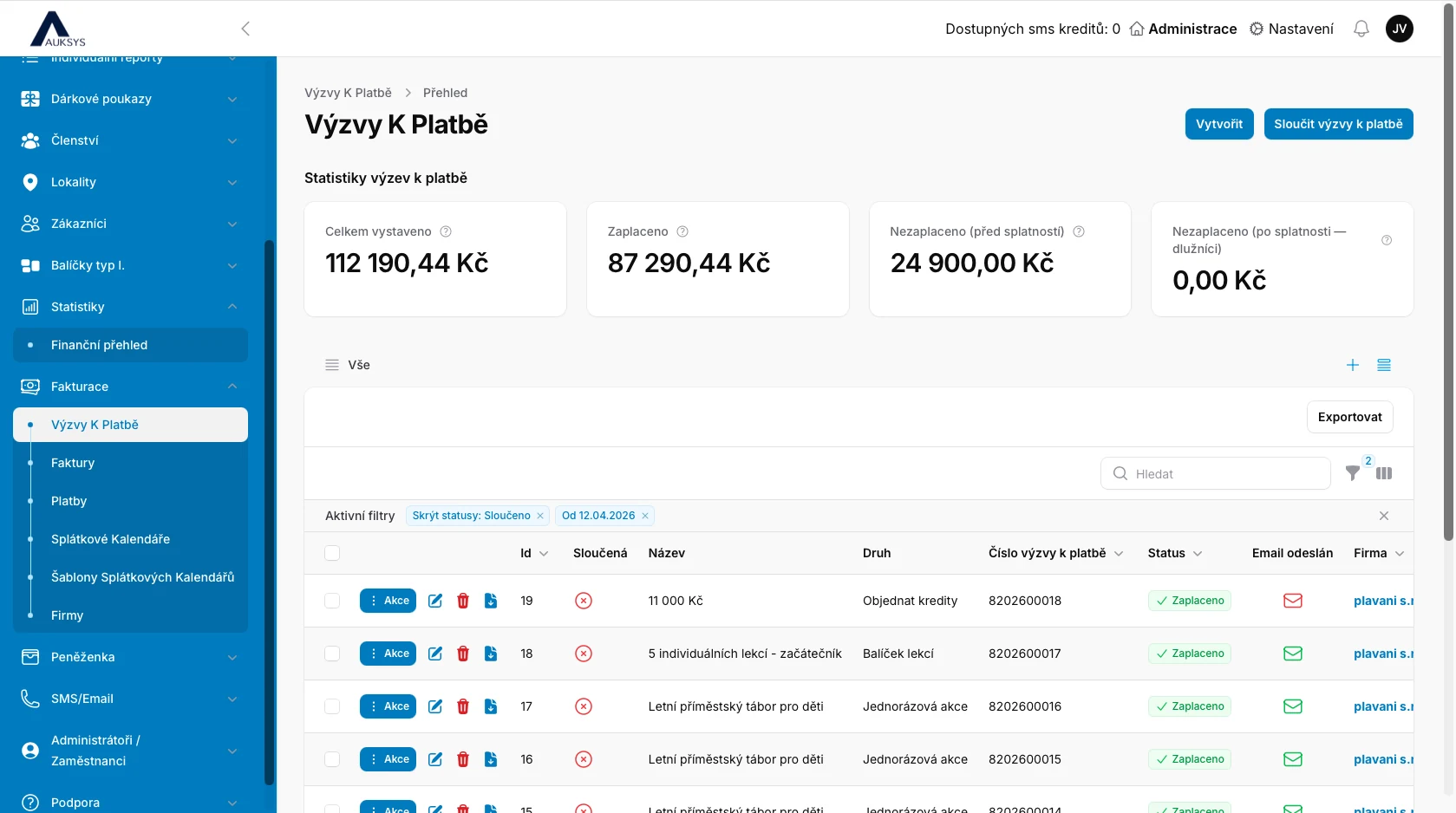
There is no need to create a document after every booking, check the bank account, maintain a debtor list or compile payment statistics manually.
Before payment, the customer receives a non-tax payment request that can be edited or cancelled. Once payment is received, Auksys automatically issues the final accounting invoice.
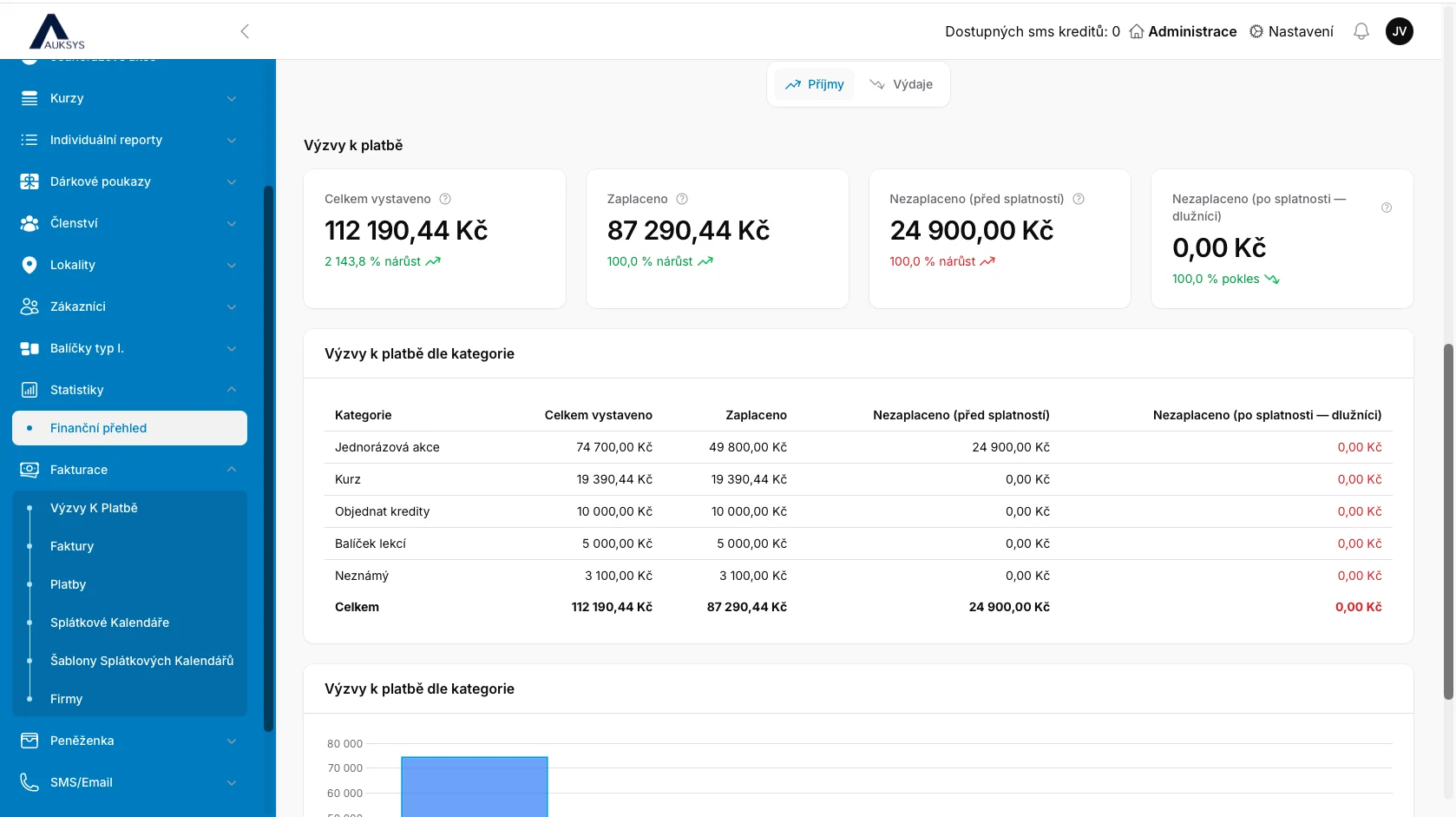
Your documents always reflect the actual payment status.See the total value of issued requests, received payments, upcoming amounts and overdue debtors in one place.
For bank transfers, Auksys automatically creates and sends a payment request after an online booking.
When manually adding a customer to a course or event, simply select the option to create and send a payment request.
Single payment, deposit with balance, any number of instalments, card or digital wallet.
Incoming payments are matched with the correct request, so administrators do not need to check the bank account manually.
Set any number of overdue reminders. After payment, the customer receives confirmation and a thank-you message.
Once payment is received, Auksys issues the final invoice and stores it in the document records.
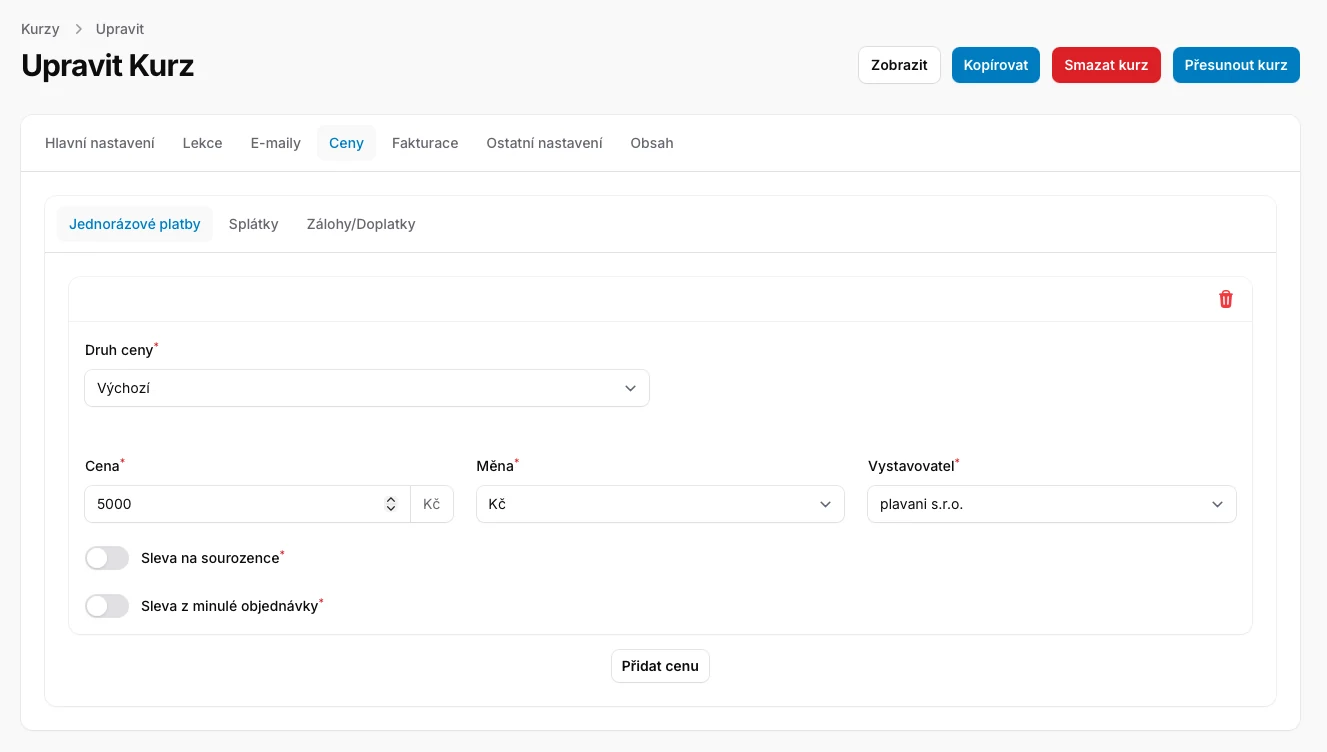
Set a default price and additional variants for any course or service. Auksys can automatically apply sibling, returning-customer or member pricing.
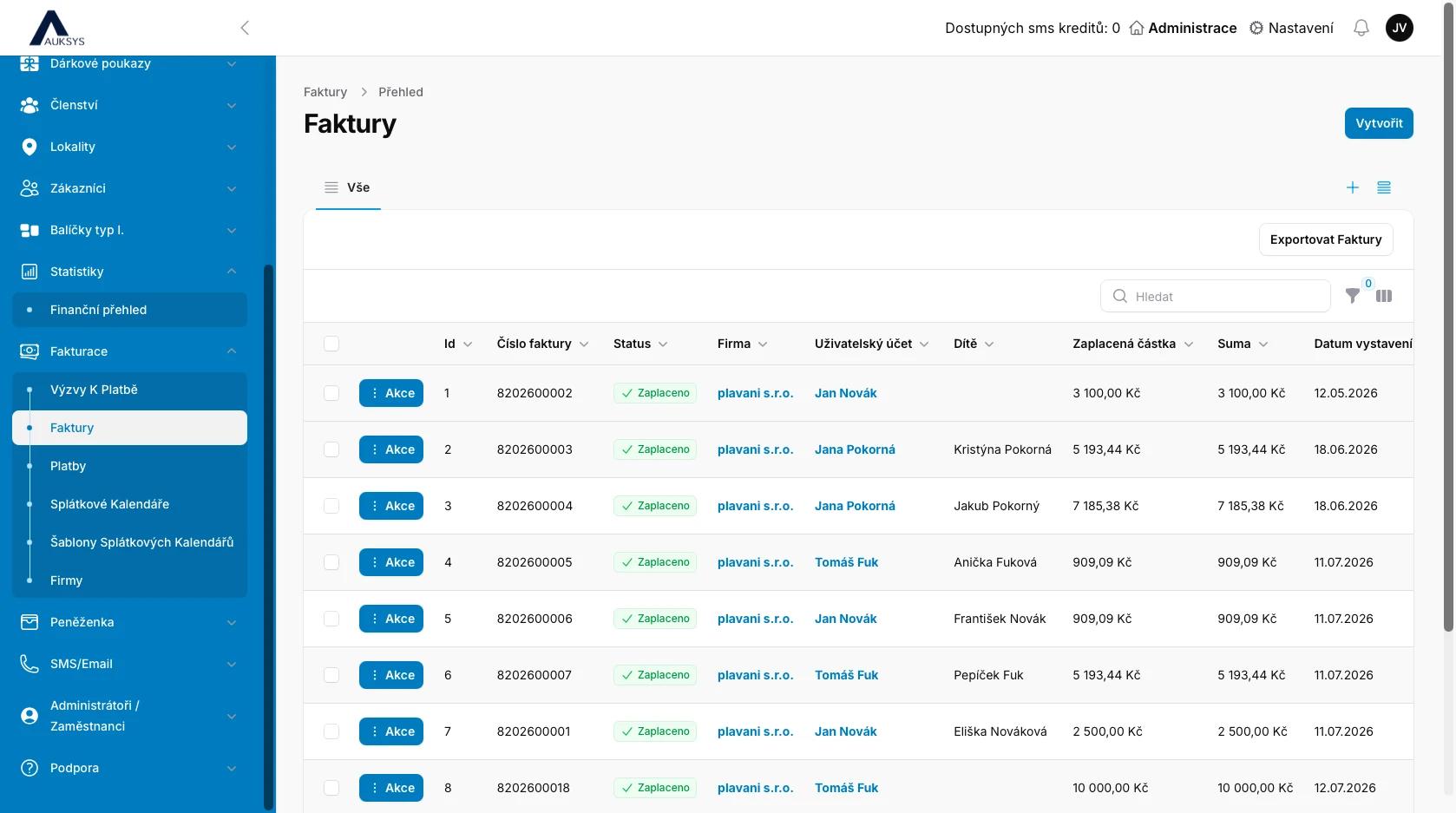
Find invoices by customer, child, amount, date or company. Documents can be exported and the module is ready for integration with the Pohoda accounting system.
A deposit is created immediately after enrolment. The balance can be issued on a specific date, a set number of days before the course or event, or after a defined number of lessons.
Divide a payment schedule into any number of instalments and set the exact issue date for each one.
Revenue is divided by period and category, making it easy to compare courses, events, lesson packages, vouchers and digital-wallet top-ups.
Auksys integrates with Stripe and Comgate. Customers pay online and the result is automatically connected with the booking, payment request and subsequent invoice.





Instead of refunding a changed service by bank transfer, credit the paid value to the customer’s digital wallet for another course, event or service.
The customer retains the value while the school keeps the funds for a future booking.
The invoice is generated automatically after payment is received and matched. Before payment, Auksys uses a non-tax payment request.
Yes. Schedule it for a date, before a service begins or after a defined number of lessons.
Any number. Each instalment has its own issue date.
Yes. The same service can have a discounted member price and a separate non-member price.
Auksys integrates with Stripe and Comgate. Card payments are automatically connected with the booking and an invoice is issued after payment.
Yes. Set any number of automated overdue reminders.
Yes. The billing module integrates with the Pohoda accounting system.
We will cover payment requests, matching, deposits, instalments, reminders, invoices and financial statistics.