Courses based on your rules
Set age, skill level, visibility, capacity, dates, location, lane and instructor.
 FOR SWIM SCHOOLS
Manage recurring courses from online enrolment to the final lesson. Customers handle most tasks themselves while you retain a current overview of the entire operation.
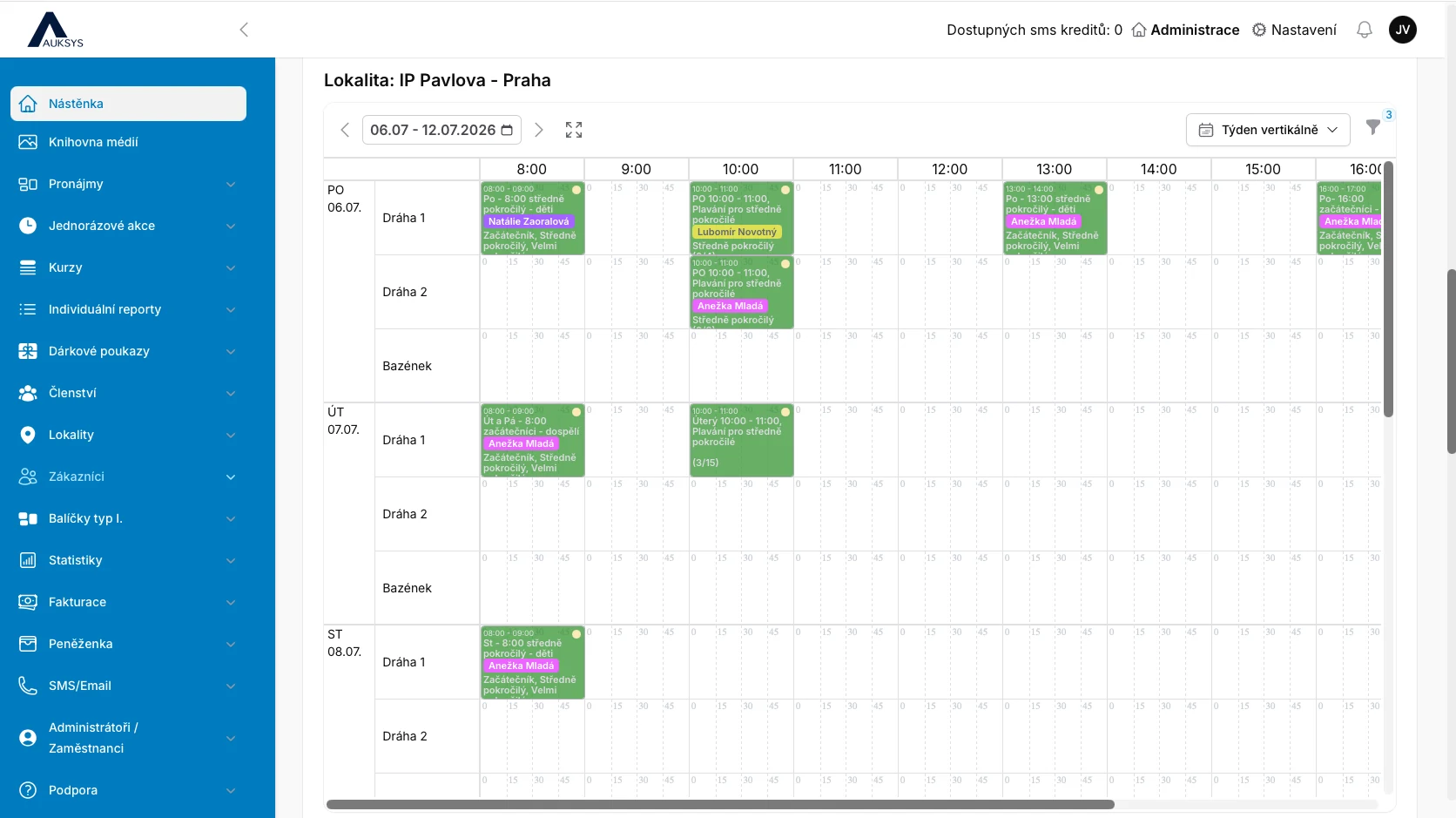
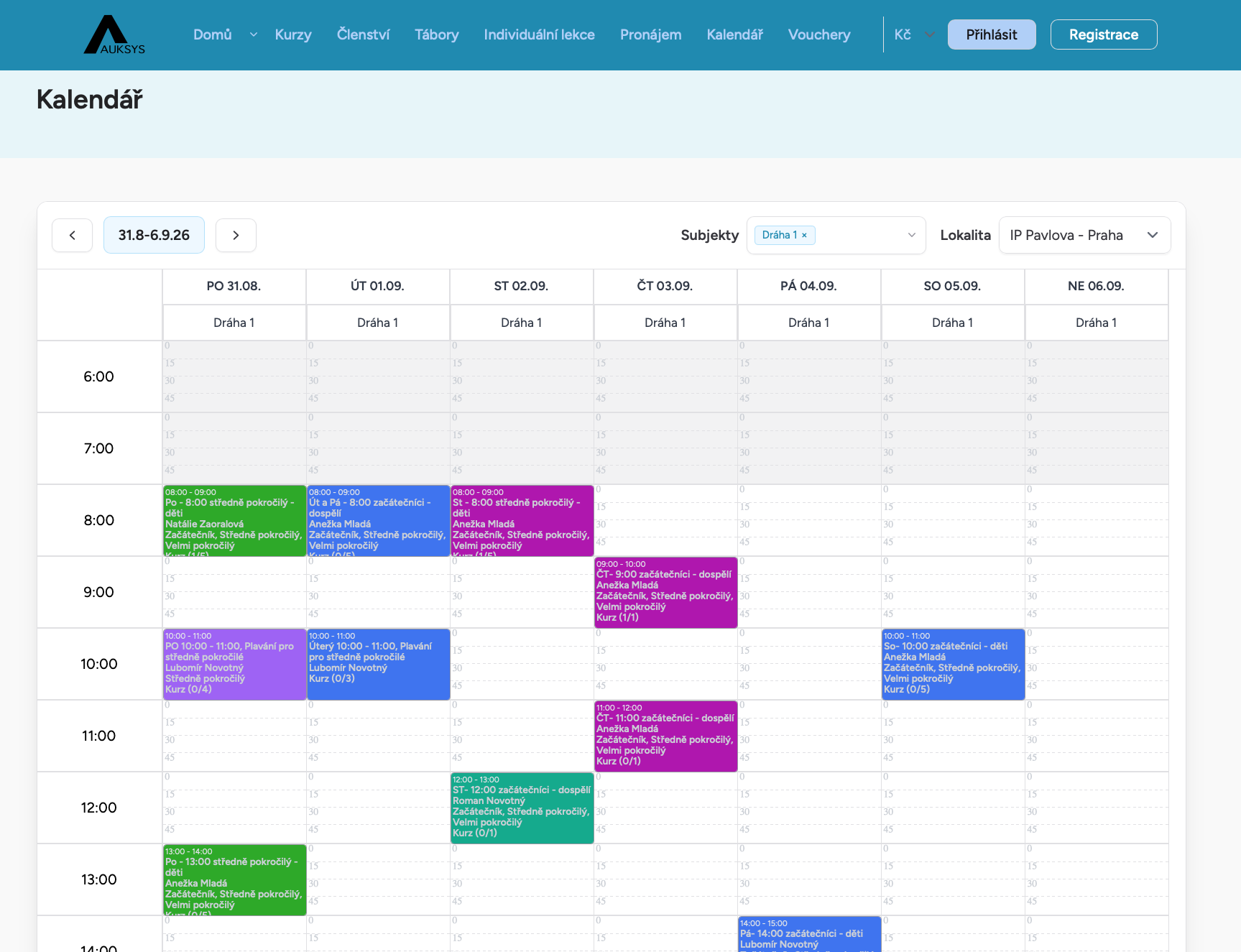
You no longer need to manage courses in Excel or across several calendars. Phone calls, text messages, absence emails and manual searches for free places become unnecessary.
When a customer reports an absence on time, the platform grants a make-up lesson entitlement. If the deadline is missed, no entitlement is created—exactly according to your rules.
You handle exceptions. Auksys handles routine operations.Customers filter courses by skill level, day or target group, view the details and enrol online.
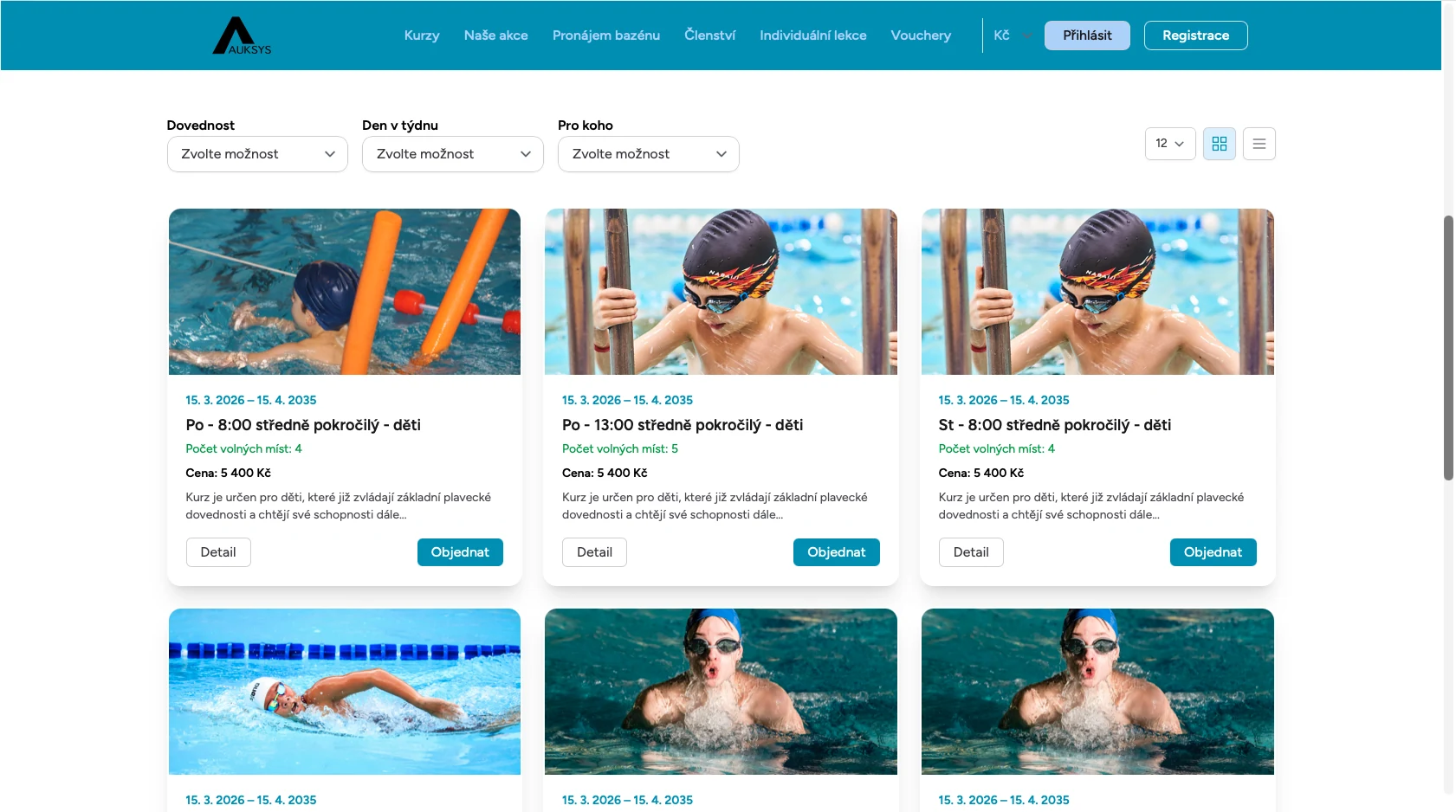
Set age, skill level, visibility, capacity, dates, location, lane and instructor.
Auksys monitors overall course capacity for new enrolments and individual lesson capacity for make-up bookings.
Customers report absences themselves. When submitted on time, they receive a make-up entitlement based on your rules.
Make-up lessons can be offered by age and skill level. If a lesson is full, the customer can join its waiting list.
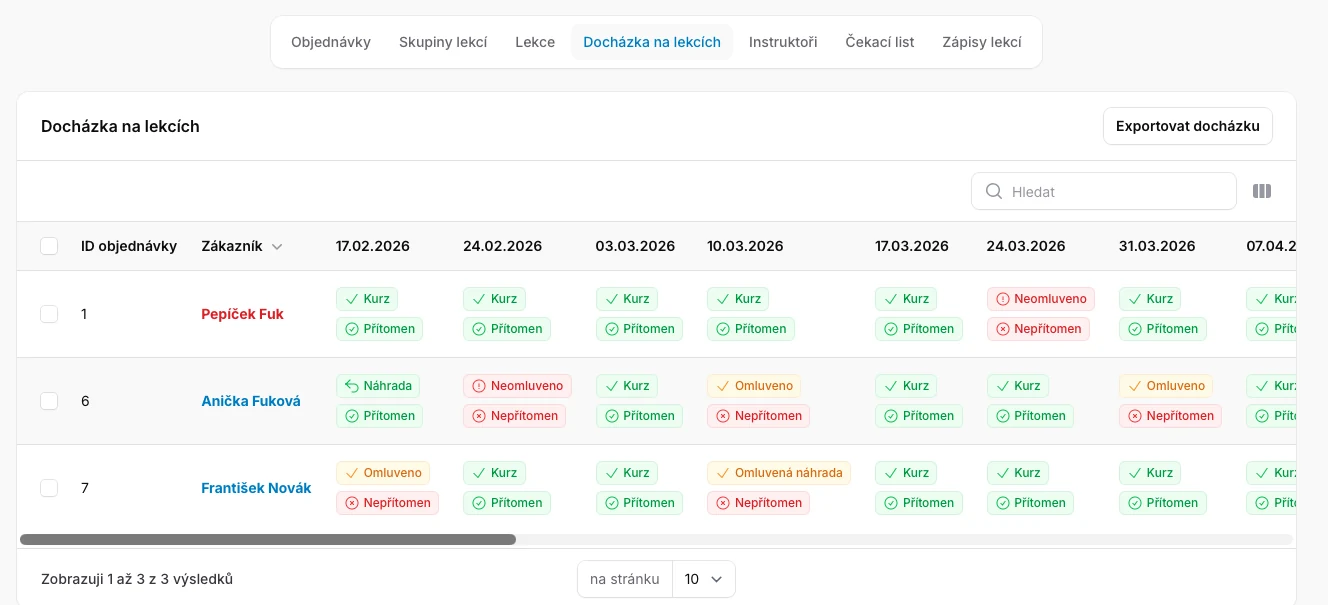
Record attendance, absences or make-up lessons in a few clicks and retain the complete history.
Full payments, deposits, balance payments, instalments, card payments, sibling discounts and returning-customer discounts.
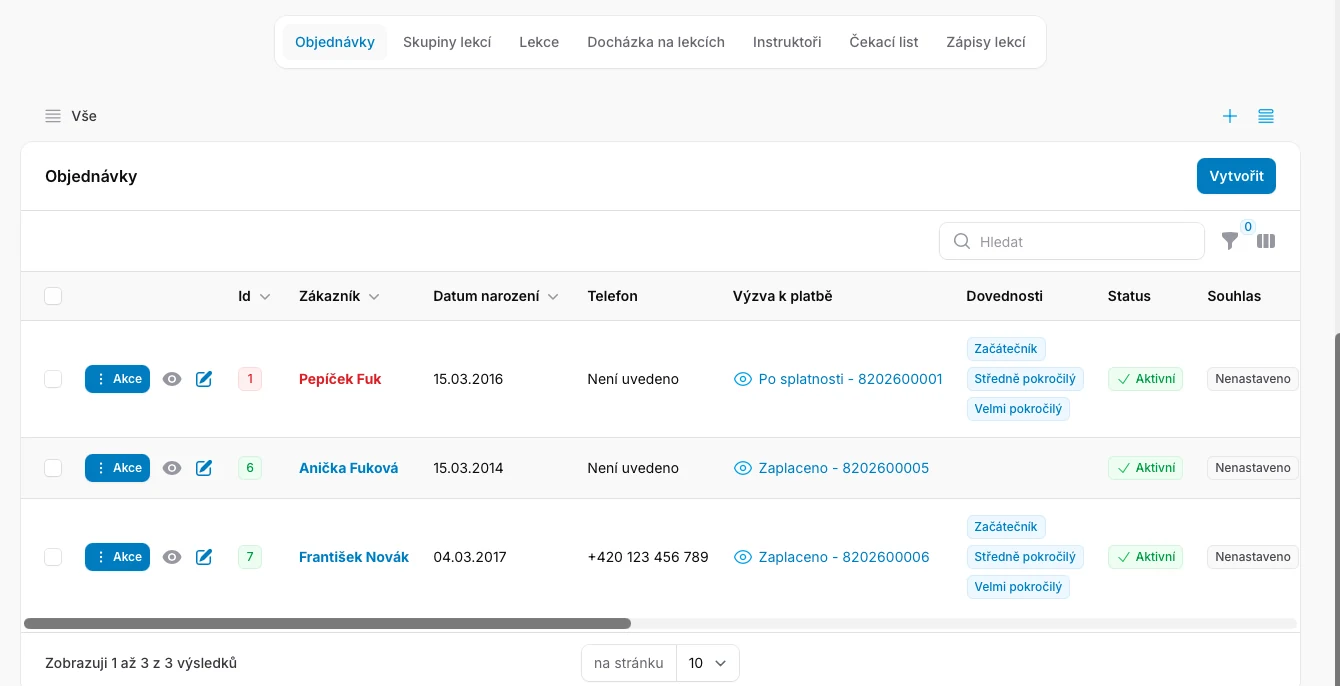
Administrators can see the customer, date of birth, contact details, skills, booking status and related payment request. They can approve the booking or move the customer to a more suitable course.
Customers can view all their children’s lessons, report an absence for a specific date and choose an appropriate make-up lesson under your rules.
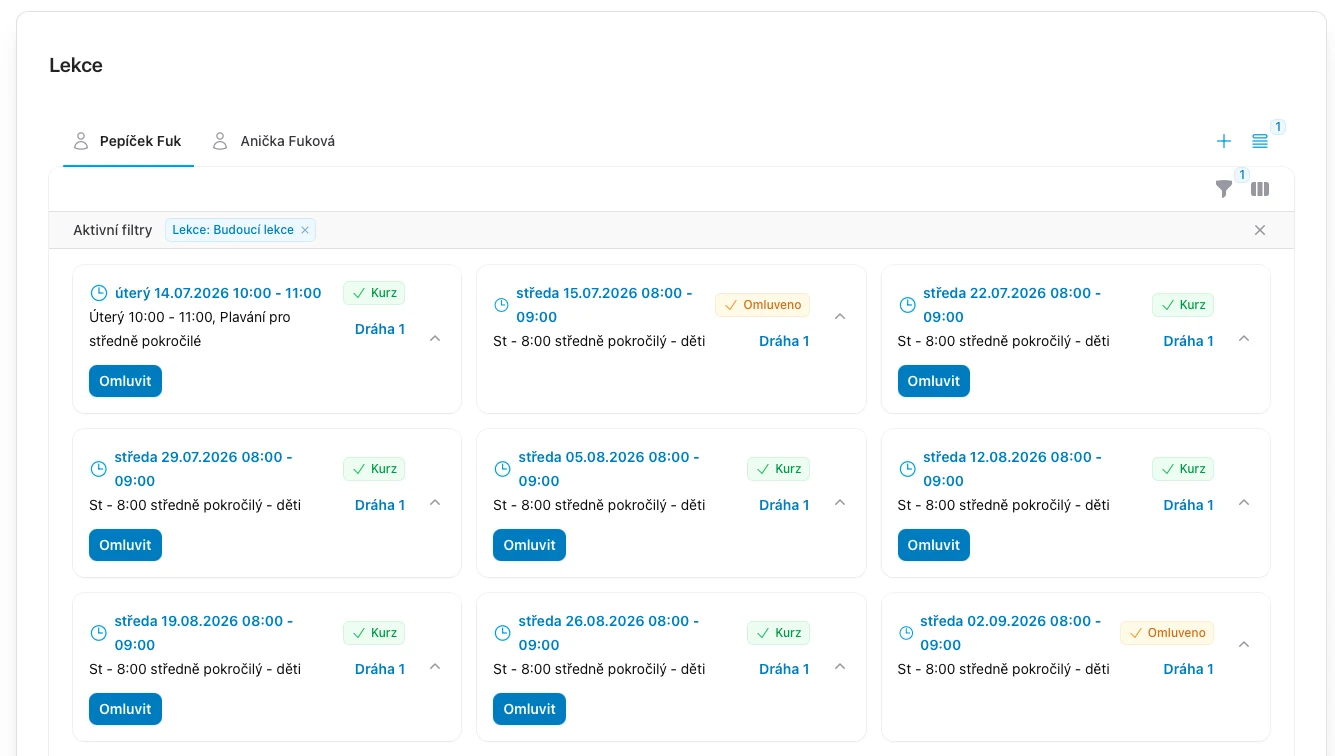
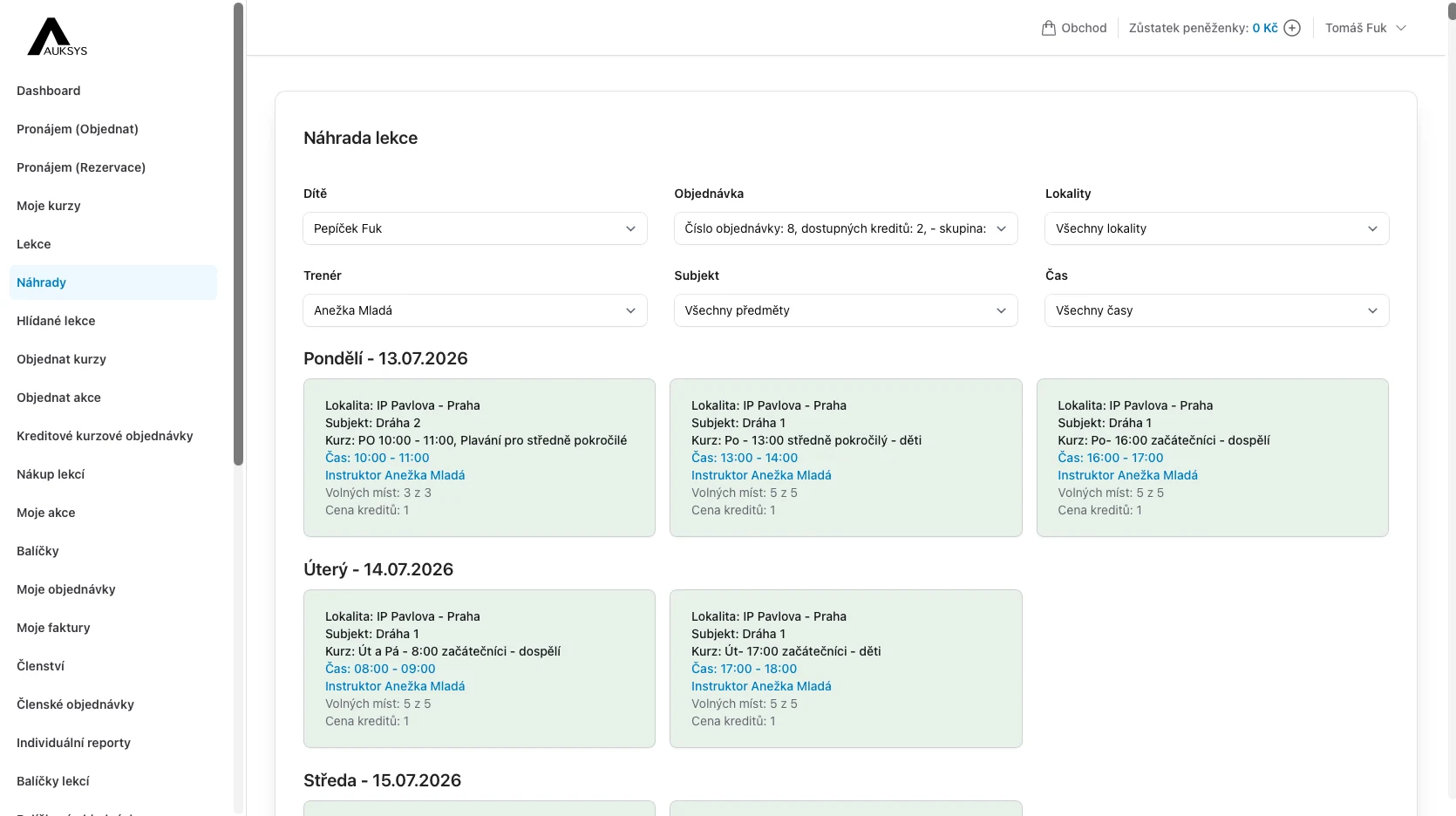
If a suitable lesson is full, the customer joins its waiting list. When a place opens, Auksys either books it automatically or sends an alert so the customer can book, depending on your settings.
The platform can restrict available lessons by age and swimming ability. Beginners will not see advanced lessons, removing the need to check each make-up booking manually.
View attendance, reported and unreported absences and used make-up lessons in one place. Export attendance and review its history at any time.
Yes. Each school sets how far in advance an absence must be reported to qualify for a make-up lesson.
Yes. It separately monitors course capacity for new enrolments and individual lesson capacity for make-up customers.
Yes. A course can be public, available only to logged-in customers, or private and visible only to administrators.
Yes. The complete course management module is included in the core Auksys platform.
We will cover setup, enrolment, absences, make-up lessons and attendance, and answer your specific questions.